
 Overview
 Capture
 Learn
 Dashboard
 Foundry
 API
How it works

1. Capture
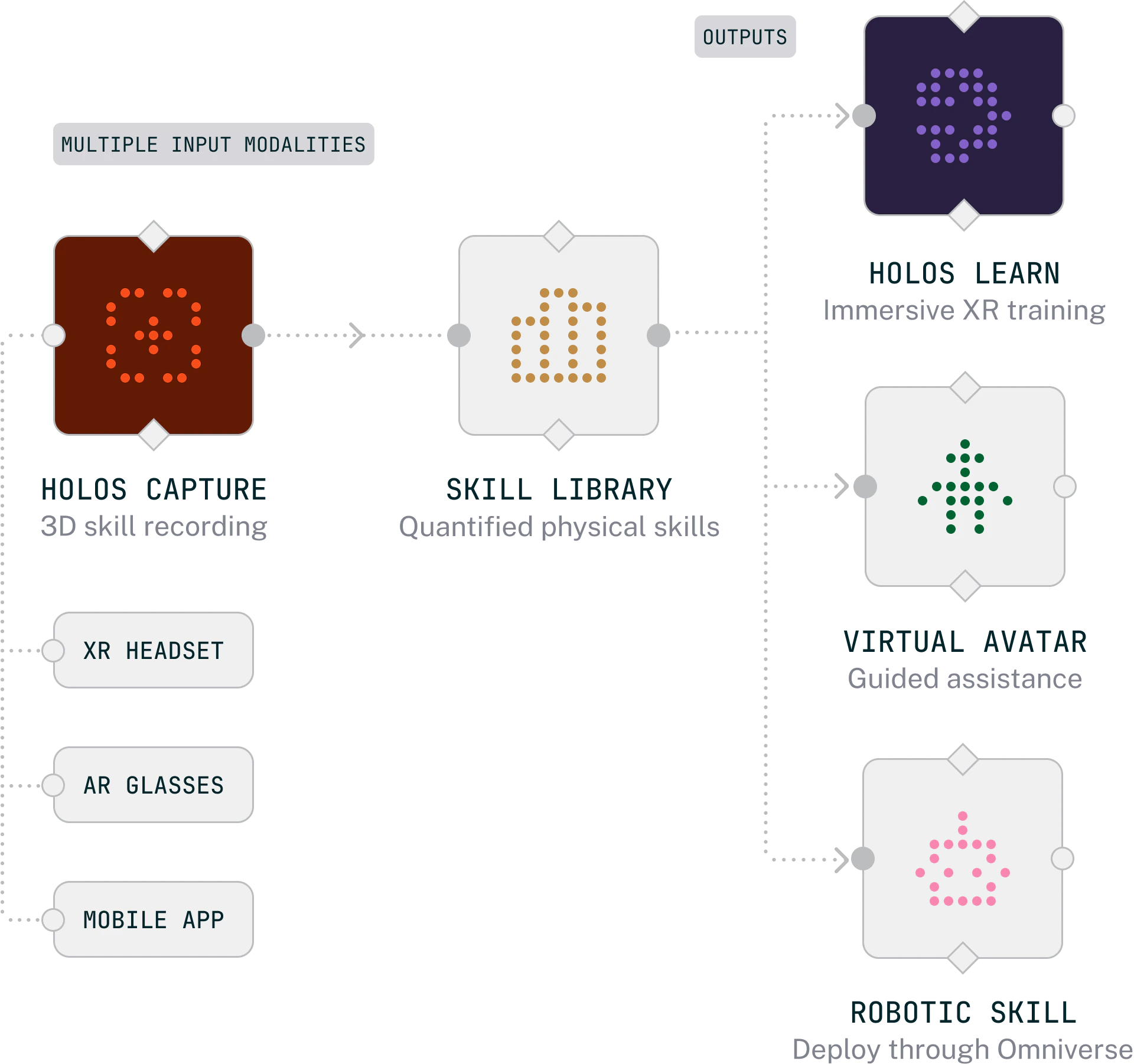
Experts record how the work gets done. Synchronized video, hand tracking, object tracking, transcription, and location, packaged as a single spatial session.

2. Manage
The Holos dashboard is where organizations author procedures, review captures, manage 3D objects, and author training outputs.

3. Deliver
Approved captures are assembled into structured courses and published to Holos Learn, where learners step into the workflow on Apple Vision Pro.
Key concepts

Procedure
The canonical step sequence for a task. Written by hand, seeded from a capture, or extracted from a document, then corroborated by every new capture.

Guidebook
The rollup for one physical object: its procedures, technical documents, and 3D model, resolved by drawing number.

Capture
A recorded spatial session from Holos Capture, reviewed in the dashboard and used as evidence for procedures.

Object
A 3D model used for AR tracking during captures or as interactive content in courses.

Course
Immersive training built from captures, organized into lessons, stages, and elements, then published to Holos Learn.