> ## Documentation Index
> Fetch the complete documentation index at: https://docs.holos.io/llms.txt
> Use this file to discover all available pages before exploring further.
# Platform overview
> How Capture, Learn, and the API make it easy to capture, quantify, and deploy the physical skills that exist at your organization.
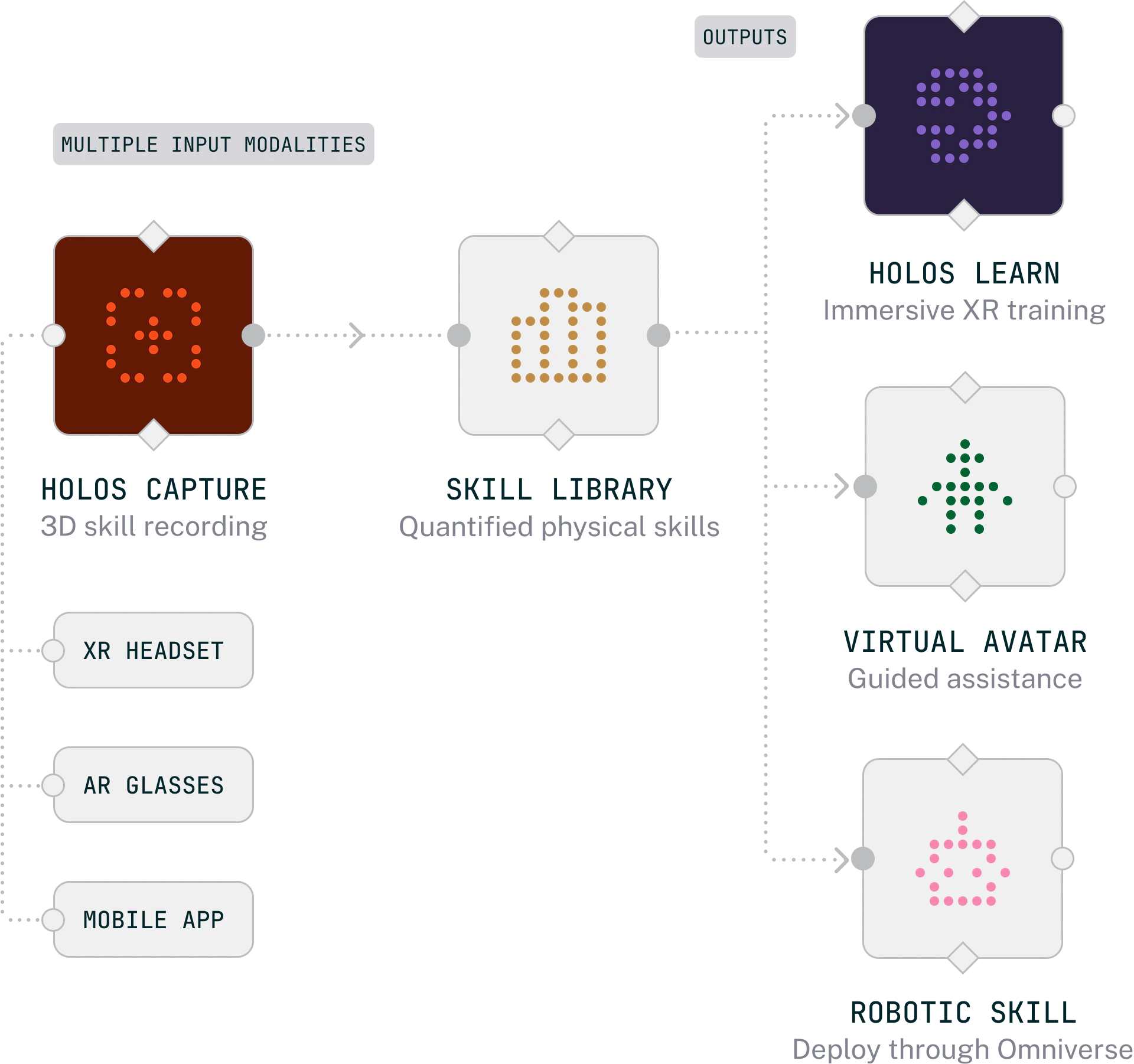
Holos turns undocumented expertise into structured 3D task memory. Experts record how the work actually gets done, capturing every motion, decision, and tool interaction. The platform makes that knowledge reusable: as immersive training for human learners, or as structured skill data for downstream systems.
 ## How it works
Experts record how the work gets done. Synchronized video, hand tracking, object tracking, transcription, and location, packaged as a single spatial session.
The Holos dashboard is where organizations define Skills, review and approve captures, manage 3D objects, and author training outputs.
Approved captures are assembled into structured courses and published to Holos Learn, where learners step into the workflow on Apple Vision Pro.
## Key concepts
A procedure or task to be captured and trained on. The central organizing unit across Capture, the dashboard, and Learn.
A recorded spatial session from Holos Capture, linked to a Skill and reviewed before use in training.
A 3D model used for AR tracking during captures or as interactive content in courses.
Immersive training built from captures, organized into lessons, stages, and elements, then published to Holos Learn.
## How it works
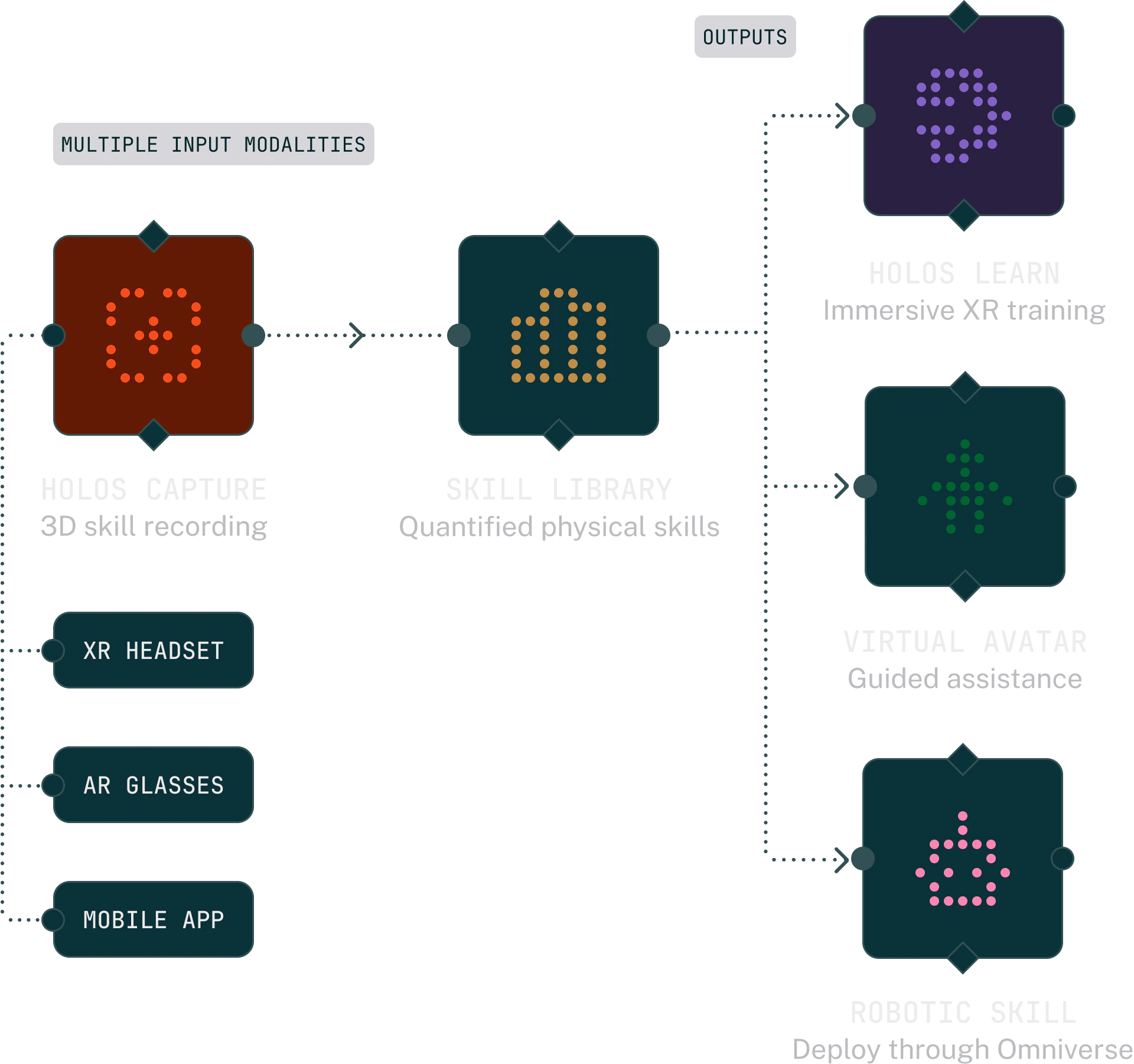
Experts record how the work gets done. Synchronized video, hand tracking, object tracking, transcription, and location, packaged as a single spatial session.
The Holos dashboard is where organizations define Skills, review and approve captures, manage 3D objects, and author training outputs.
Approved captures are assembled into structured courses and published to Holos Learn, where learners step into the workflow on Apple Vision Pro.
## Key concepts
A procedure or task to be captured and trained on. The central organizing unit across Capture, the dashboard, and Learn.
A recorded spatial session from Holos Capture, linked to a Skill and reviewed before use in training.
A 3D model used for AR tracking during captures or as interactive content in courses.
Immersive training built from captures, organized into lessons, stages, and elements, then published to Holos Learn.